Escape Waves For Lucky Blocks Controls and HUD Basics
Know every critical input before a wave forces a fumble.
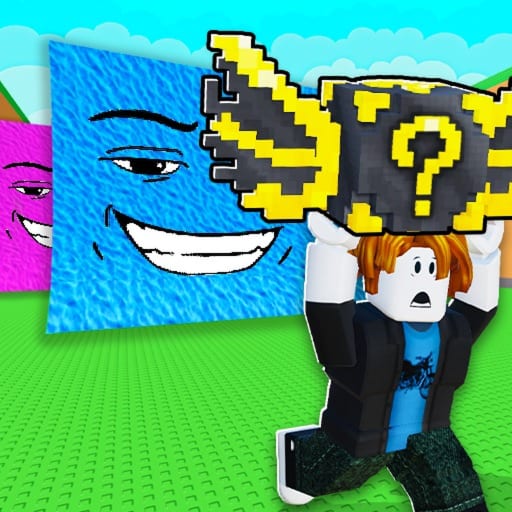
Good controls knowledge prevents the most embarrassing losses in Escape Waves For Lucky Blocks: dropping a rare block because you opened the wrong menu or failed to interact with your platform.
PC defaults
- Movement: WASD
- Camera: mouse
- Interact / open / place: E or the on-screen proximity prompt
- Jump: space
- HUD buttons: Rebirth, Shop, Codes or Gift icons on the screen edges
Exact keybinds can vary with Roblox shift-lock and mobile-emulator setups. Hover prompts whenever the game shows them.
Mobile defaults
Virtual joystick for movement, thumb buttons for jump and interact, and larger HUD icons for Shop, Rebirth, and Codes. Landscape orientation usually reduces mis-taps during escapes. Consider higher graphics only if it does not tank frame rate during wave chases.
Must-practice actions
- Pick up a Lucky Block without stopping camera motion.
- Sprint home while keeping the wave edge visible.
- Place and open on the platform without walking back into the field.
- Open Speed shop, buy once, close, and move.
- Open Rebirth, read the requirement, confirm or cancel deliberately.
Quality-of-life settings
Enable performance mode if waves stutter. Keep UI scale readable. On PC, shift-lock can help straight-line escapes. On mobile, disable accidental touch gestures that open Roblox overlays mid-run.
Controls tied to systems
Opening blocks feeds Brainrots. Shop inputs feed gear shop purchases. Rebirth inputs feed multipliers from how to Rebirth. Codes inputs are covered in how to redeem.
Practice controls in shore routes from Getting Started before you stake a deep-field inventory on muscle memory you do not have.
Input mastery under wave pressure
Controls become strategy when waves appear. Rebind or relearn sprint, interact, and camera adjustments until you can pick up a Lucky Block and pivot home without looking at your keyboard or thumb positions. Mobile players should practice swipe sprint on shore before midfield. PC players should confirm they are not fighting chat focus or accidental menu opens mid-escape.
After UI patches, spend two minutes in a safe area confirming prompts still match this page and patch notes. Many “the wave cheated” stories are delayed interact animations or mis-taps. Pair control drills with Survive waves so muscle memory includes telegraph response, not only straight-line running.
Controller and touch layouts vary by device performance. If your frame rate tanks in busy servers, reduce depth until inputs feel crisp again — lag is a hidden control debuff. Escape Waves For Lucky Blocks does not require exotic macros; it requires reliable interact timing while carrying loot. Master that, then let Speed upgrades multiply a foundation that already works.
Device-specific warmups
On mobile, do five shore pickups focusing only on not dropping sprint. On PC, do five pickups focusing on camera facing home before the telegraph peaks. On a weak laptop, favor quieter servers so input latency does not fake a skill issue. Warmups sound small; they prevent the expensive mistakes that erase mutated keepers.
Panic inputs to extinguish
Common panic inputs include opening the Roblox menu, spinning the camera away from base, and mashing interact on empty air. Extinguish those habits on shore with deliberate reps. Speak a short mantra while practicing: grab, turn, sprint, place. Combine that with Speed from the gear shop and your late-wave survival rate climbs without needing scripts or exotic hardware.
Audio cues help timing
If you play with sound on, learn which audio stingers accompany wave telegraphs on your device. Audio plus visuals beats visuals alone when the screen is busy. Re-test after patch notes in case cues change.
Also clear chat overlays that block mobile buttons before a serious farm push.
One calm practice lobby
Join a low-population server and spend three minutes touching only pickup and sprint. No shop browsing, no chat arguments. That tiny ritual before a serious farm block makes Escape Waves For Lucky Blocks controls feel automatic when the first real wave telegraph appears.
Frequently Asked Questions
Quick answers to the most common questions.
How do I open a Lucky Block on PC?
Place it on your platform and hold E or the shown interact key.
Where is Rebirth on mobile?
Look for a Rebirth button on the left or side HUD after spawn.
Can I change keybinds?
Roblox and device settings may allow remaps; otherwise learn the default prompts.
Why did interact fail?
You may be out of range, on a full platform, or blocked by another UI modal.